Admin Console
Org unit structure, super admin count, and 2-Step Verification enforcement.
Our Google Workspace Auditor runs a focused security health check, identifies areas that need attention and gives your school a clear, prioritised improvement plan.
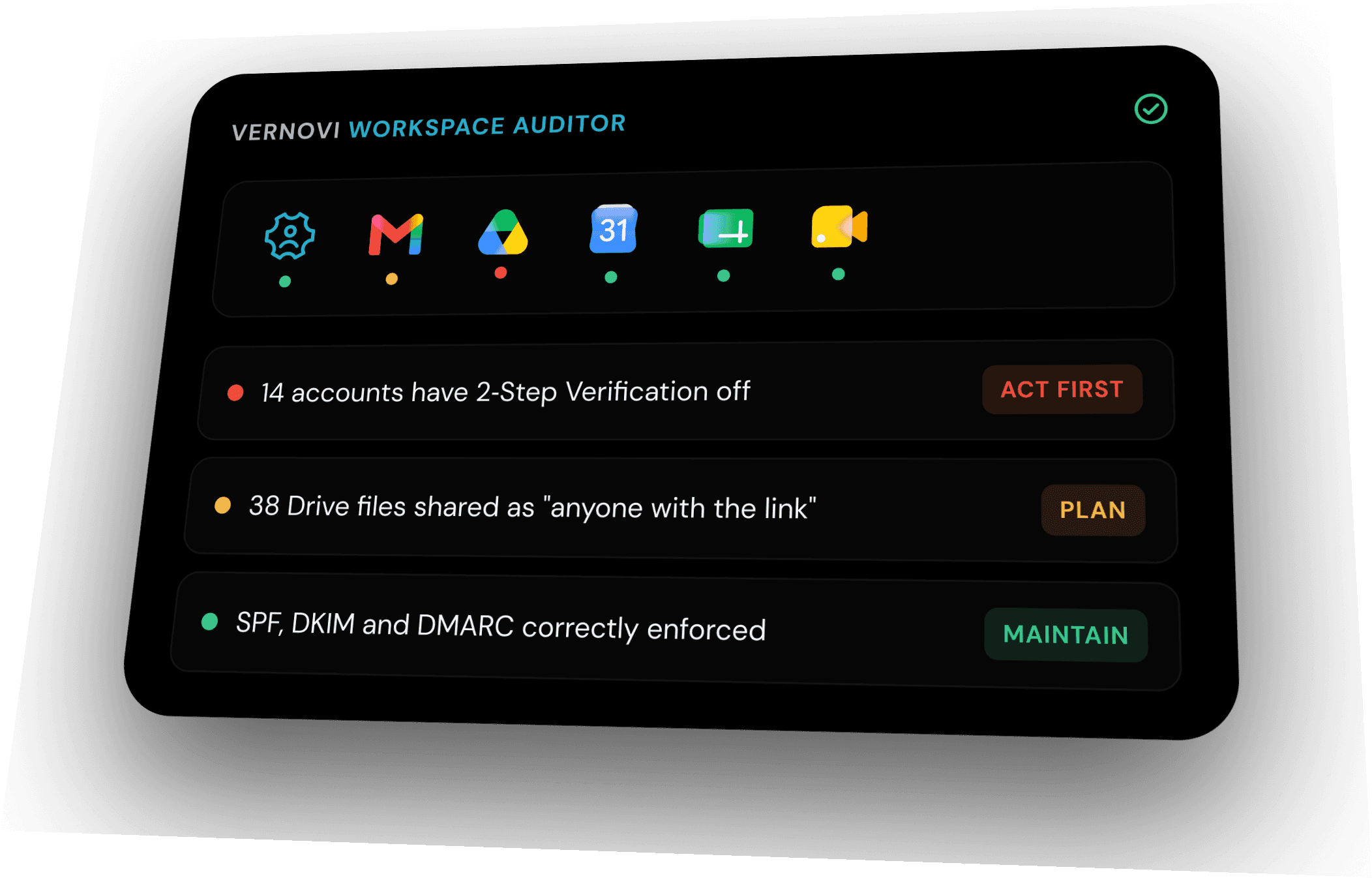
Most audits stop at Admin Console policy. The Auditor goes into the apps themselves, because that's usually where the real gaps hide.
Org unit structure, super admin count, and 2-Step Verification enforcement.

Mail forwarding rules, delegated inboxes, and SPF, DKIM and DMARC setup.

External sharing defaults, link-shared files, and ownership left with former staff.
External visibility defaults and who can book shared rooms and resources.

Who can join meetings, guest access, and recording and dial-in controls.
Guardian access, teacher permissions, and how classes are archived and retained.

Sharing defaults on documents and comment access for people outside your school.

Exposure of pupil data in shared spreadsheets and download or copy permissions.

Publicly published decks and presentations still shared from old accounts.

Response collection settings, sign-in requirements, and where submissions land.

External chat and space membership, plus message history and retention settings.
The Auditor turns scattered settings across every app into a short, prioritised list your leadership team can act on the same day. No jargon, no fire drill, just the handful of things that matter most.
Workspace health score
LiveMost schools start here. We get you to green.
Sample from recent school reviews. Your score will differ, and the Auditor tracks it every time settings change.
The teacher who left at Easter can still hold a live account, a mailbox and the shared drive that came with it. We find every door a leaver left open, so you can close it for good.
In the reportOne folder set to “anyone with the link” can put pupil data a single search away. We surface what is over-shared before a parent, or the ICO, ever does.
In the reportThe Admin Console shows settings, not assurance. We hand your governors a plain, evidenced answer on whether the school is genuinely covered.
In the reportThe value is knowing what the findings mean, which actions matter first and how to improve without disrupting teaching and administration.
A plain-English view for school leaders and governors.
Clear observations grouped by urgency and potential impact.
Practical recommendations your IT team or provider can follow.
Vernovi can help you understand and implement the improvements.
Review how users authenticate and where stronger sign-in protection may be needed.
Identify privileged access that may be broader or riskier than your school needs.
Highlight settings that could expose school information more widely than intended.
Check important Workspace security settings against a sensible baseline.
Review whether administrators have enough visibility to spot and investigate concerning activity.
Surface connected applications and access arrangements that may need review.
We only need read-only Admin Console access for the areas we agree with you upfront, and nothing more. We cannot change settings, delete anything, or read the contents of individual emails or files. You stay in full control and can remove our access the moment the review is finished.
We confirm your priorities, environment and a suitable, controlled review method.
The Auditor reviews the agreed security areas and organises the observations.
We explain what matters, why it matters and what your school should do next.
Your team acts on the plan, with Vernovi support available where required.
Start with a focused conversation about your environment and what you need the health check to achieve.